
CS2 Inventory Management: Organize Your Skins Like a Pro Player
A growing CS2 inventory can quickly become difficult to manage. Between case drops, trade-ups, marketplace purchases, and tournament souvenirs, it's easy to lose track of what you actually own. Good CS2 inventory management isn't just about keeping things tidy—it helps you spot valuable skins, avoid costly mistakes, and make better trading decisions over time.
Whether you're collecting Doppler knives, holding onto rare sticker crafts, or simply trying to organize dozens of case drops, a structured inventory makes everything easier.
Featured Snippet
How do you manage a CS2 inventory?
The best way to manage a CS2 inventory is to:
Sort skins by rarity, value, or intended use.
Separate investment pieces from trade-up materials.
Track float values and special patterns.
Remove duplicates regularly.
Protect your Steam account with Steam Guard.
Monitor market trends before buying or selling.
Why CS2 Inventory Management Matters
Every skin has a purpose—even if that purpose is eventually selling it.
A clean inventory helps you identify collectibles, duplicate items, and potential trade-up materials without endlessly scrolling through pages of skins.
It also reduces the chance of accidentally trading or selling something valuable, especially skins with desirable float values, rare sticker combinations, or uncommon pattern seeds.
For collectors and traders alike, organization saves both time and money.
Organize Your CS2 Inventory by Category
Instead of keeping everything in one large collection, separate your inventory into logical groups.
By Rarity
One of the easiest methods is sorting by item quality.
Covert — knives, gloves, and premium weapon finishes
Classified and Restricted — skins with stronger market demand
Mil-Spec, Industrial Grade, and lower tiers — useful for trade-up contracts or casual trading
This makes expensive items much easier to locate.
By Purpose
Not every skin should receive the same treatment.
Create categories such as:
Long-term collection
Investment pieces
Daily loadout
Trade-up materials
Marketplace listings
Duplicate skins
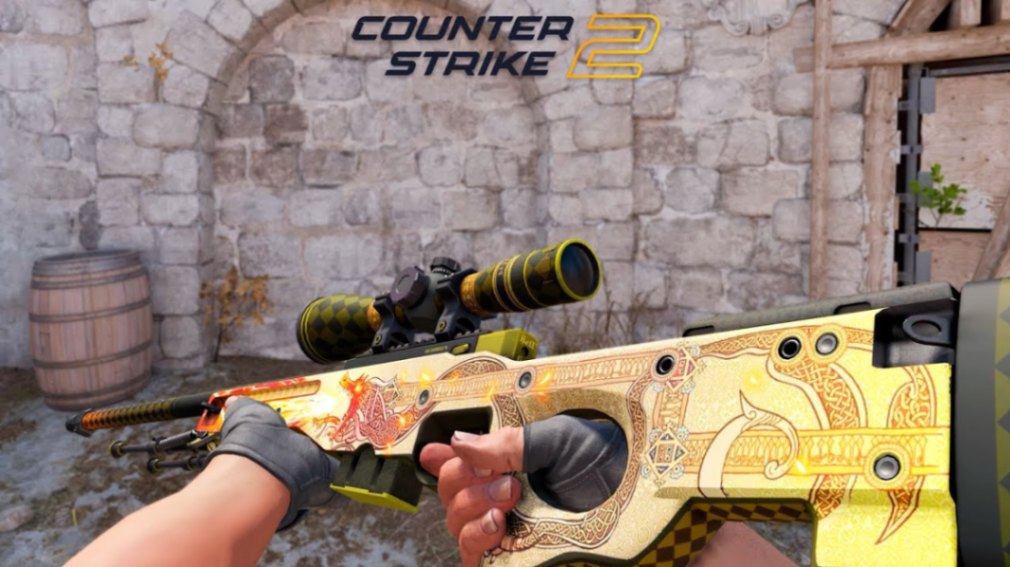
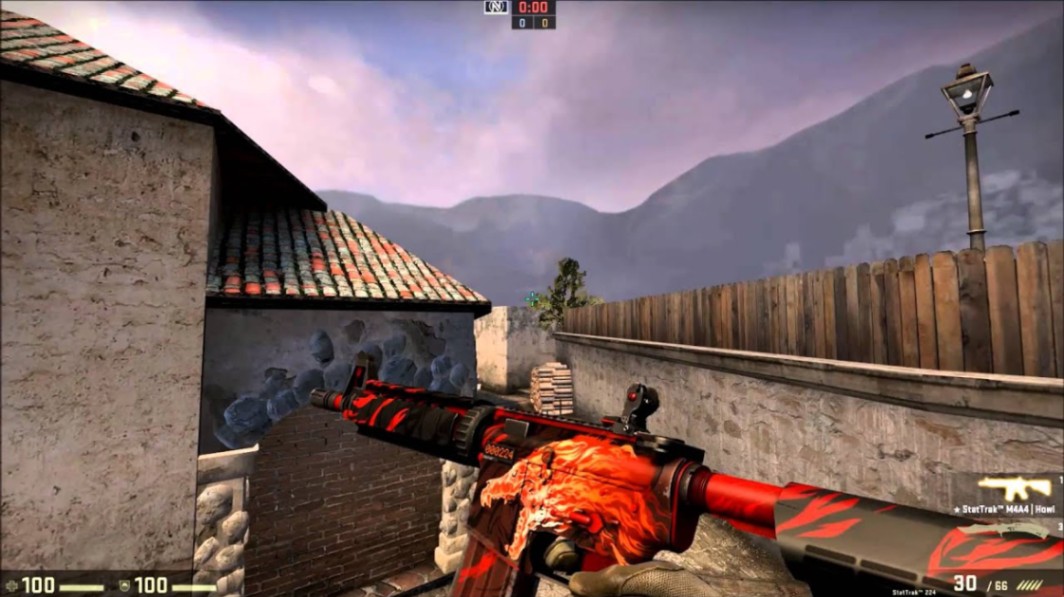
For example, an AWP | Dragon Lore or M4A4 | Howl would typically belong in a long-term collection, while duplicate Mil-Spec skins may be better suited for trade-up contracts.
By Wear and Float
Wear condition matters.
Even two identical skins can have very different values because of float.
Common wear tiers include:
Factory New (FN)
Minimal Wear (MW)
Field-Tested (FT)
Well-Worn (WW)
Battle-Scarred (BS)
Collectors should also watch for:
exceptionally low float values
rare pattern or seed variations
desirable finishes such as Doppler phases
valuable sticker combinations including legacy tournament stickers like Katowice 2014
These characteristics can make certain skins significantly more collectible, even when they appear identical at first glance.
Use Inventory Tools to Stay Organized
Steam's inventory works well for basic browsing, but specialized tools provide much deeper insights.
Useful resources include:
CSFloat for float values and market history
Steam Inventory Helper for inventory management features
Steam Community Market for reference pricing
These tools can help you identify skins that deserve a second look before listing them for sale.
Pro tip: Before selling any older skin, check whether rare stickers, unusual patterns, or exceptionally low float values add collector interest. Those details can matter more than the weapon finish itself.
Declutter Your Inventory Regularly
The larger your inventory becomes, the more useful regular maintenance is.
Sell Duplicates
Extra copies often sit unused for months.
Selling duplicates can free up funds for skins you actually want to own.
Use Trade-Up Materials
Lower-tier skins don't have to collect dust.
Many players keep dedicated folders for trade-up contracts, making it much easier to complete future upgrades without searching through hundreds of items.
Remove Items You Don't Need
Old graffiti, unused patches, or inexpensive cosmetics may simply create unnecessary clutter.
If they no longer fit your collection goals, consider trading or selling them instead.
Protect Your CS2 Inventory
Organization means little if your inventory isn't secure.
Follow a few basic security habits:
Enable Steam Guard Mobile Authenticator.
Review every trade offer carefully.
Never approve trades you didn't initiate.
Avoid suspicious browser extensions or unofficial marketplaces.
Double-check website addresses before logging into Steam.
High-value inventories are frequent targets for phishing attempts, so caution is always worthwhile.
Keep an Eye on the Market
A well-organized inventory also makes buying and selling easier.
Things worth monitoring include:
new case releases
operation collections
major tournament sticker capsules
community demand
changes in skin popularity
Some skins experience increased demand after major esports events or gameplay updates, while others may become more liquid simply because collectors start chasing specific finishes.
Prices and liquidity change—check current offers at the time of reading.
Common Inventory Management Mistakes
| Mistake | Better Approach |
|---|---|
| Keeping every drop | Sell or trade items you won't use |
| Ignoring float values | Always inspect float before listing |
| Mixing investments with trade-up skins | Separate long-term holdings from expendable items |
| Accepting trades too quickly | Verify every item before confirming |
| Forgetting security | Keep Steam Guard enabled and stay alert for phishing |
Build an Inventory That Works for You
Good CS2 inventory management is about making your collection easier to understand and easier to use.
Whether you're building a dream loadout, collecting rare finishes, or preparing skins for future trades, an organized inventory gives you a clear picture of what you own. Sort your items regularly, pay attention to float values and special patterns, and review your collection from time to time. Small habits can make a noticeable difference as your CS2 inventory grows.
Key Takeaways
Sort your CS2 inventory by rarity, purpose, and wear.
Keep investment skins separate from trade-up materials.
Check float values, rare patterns, and sticker combinations before selling.
Declutter duplicate items regularly.
Protect your inventory with Steam Guard and careful trade verification.
Monitor market activity before making major buying or selling decisions.
FAQ
How should I organize my CS2 inventory?
The simplest approach is to group skins by rarity, intended use, and wear condition. Many players also separate investment pieces from everyday loadout skins and trade-up materials.
Does float value really matter?
Yes. Lower float values often make Factory New skins more desirable, while certain rare floats or pattern variations can attract collector interest.
Should I keep duplicate skins?
If you don't actively use them, duplicates are often better sold, traded, or saved for trade-up contracts.
What's the safest way to protect a CS2 inventory?
Enable Steam Guard Mobile Authenticator, verify every trade carefully, and avoid logging into unofficial websites or suspicious browser extensions.
Are expensive skins always worth holding?
Not necessarily. Market demand changes over time. Some collectors hold premium skins long term, while others prefer taking profits when liquidity is strong.