
Matching CS2 Skins with Team Colors: Best Loadout Combinations
Matching CS2 skins with team colors is a great way to give your squad a recognizable identity. Whether you're representing an esports organization, playing with friends, or building a themed inventory, the right combination of weapon finishes, knives, gloves, and stickers can make your entire team look more cohesive without spending a fortune.
How to Match CS2 Skins with Team Colors
The easiest way to create a coordinated CS2 loadout is to select one dominant color, choose complementary weapon skins, and complete the look with matching gloves, knives, and stickers. Consider float values, pattern variations, and in-game lighting before purchasing skins to ensure they fit your team's aesthetic.
Why Matching CS2 Skins with Team Colors Is Worth It
A coordinated inventory gives your squad a distinct visual identity. Think of it as an esports jersey, but for your weapons.
Matching loadouts are particularly appealing for community tournaments, clan matches, Twitch streams, and YouTube content. They also make team screenshots and highlight reels more visually consistent.
While skins don't improve accuracy, movement, or weapon damage, sharing a common aesthetic can make playing together more enjoyable.
Best CS2 Weapon Skins for Different Team Colors
Every successful themed inventory starts with a strong color palette. Pick a primary color and use neutral or complementary shades to avoid making your loadout look too chaotic.
|
Team color |
Recommended skins |
Visual style |
|---|---|---|
|
Red |
AK-47 – Redline, M4A1-S – Hot Rod |
Aggressive and clean |
|
Blue |
AK-47 – Blue Laminate, M4A1-S – Blue Phosphor |
Cool and futuristic |
|
Green |
AWP – Containment Breach, AK-47 – Green Laminate |
Toxic and tactical |
|
Yellow |
M4A4 – Buzz Kill, AK-47 – Fuel Injector |
Industrial and bold |
|
Orange |
Galil AR – Orange DDPAT, AWP – Asiimov |
Energetic and distinctive |
|
Purple |
AK-47 – Neon Rider, AWP – Lightning Strike |
Neon and premium |
|
Black |
AK-47 – Black Laminate, M4A1-S – Printstream |
Minimalist and professional |
|
White |
USP-S – Whiteout, M4A1-S – Printstream |
Clean and modern |
Red Team Loadout
Red is a natural choice for players who enjoy bold, aggressive-looking inventories.
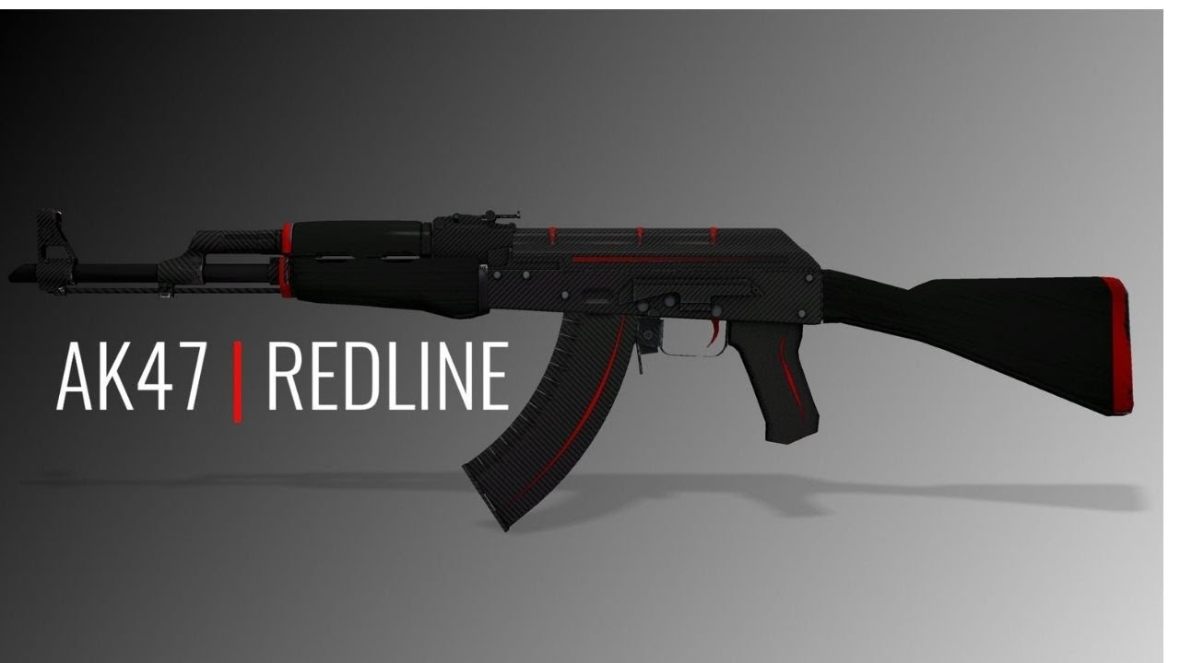
The AK-47 | Redline remains an excellent starting point thanks to its black carbon-fiber finish and distinctive red accents. Pair it with a Desert Eagle | Code Red and Crimson Web knife for a consistent red-and-black theme.
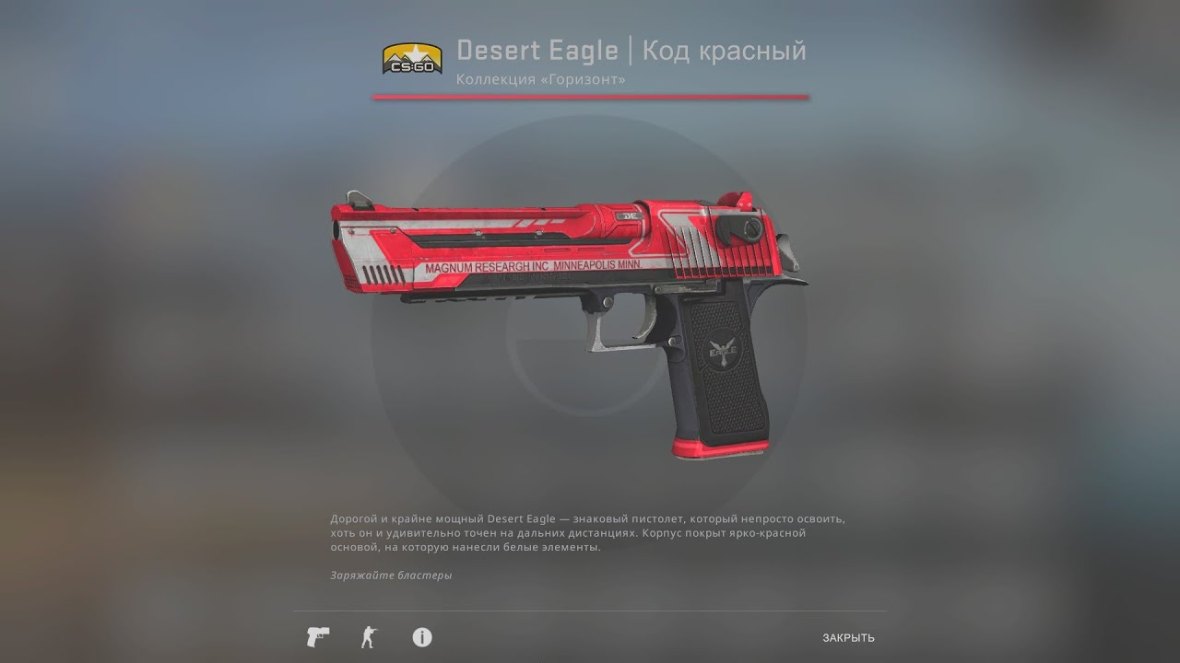
Sport Gloves | Slingshot can complete the combination if your budget allows.
Blue Team Loadout
Blue inventories work particularly well with metallic finishes and futuristic designs.
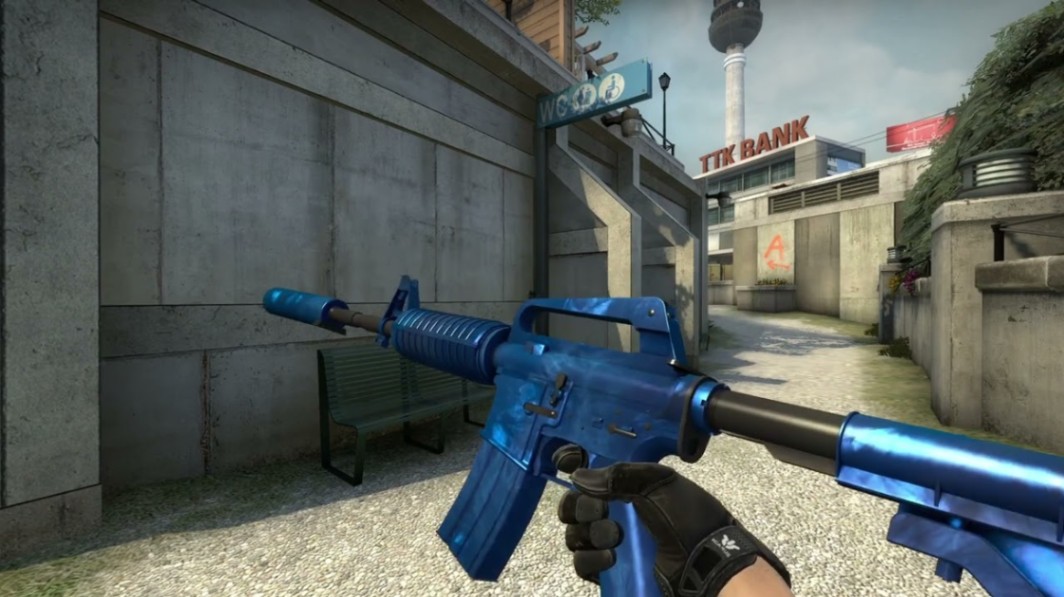
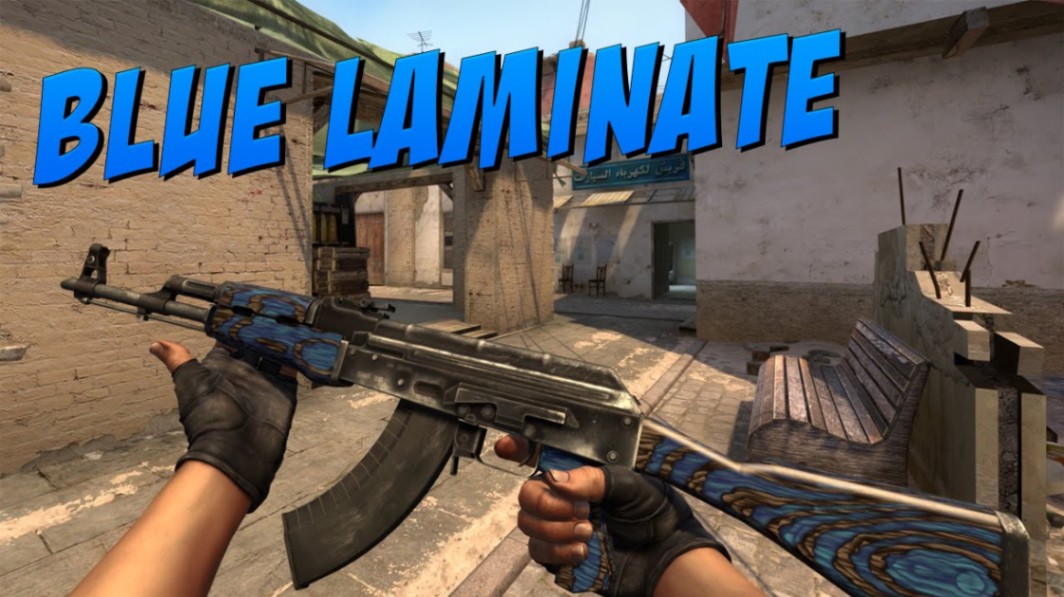
The M4A1-S | Blue Phosphor delivers a striking metallic blue appearance, while the AK-47 | Blue Laminate offers a more understated alternative.
For knives, consider Doppler Phase 4, Bright Water, or a Sapphire finish for a premium collection.
Green Team Loadout
Green skins are ideal for military-inspired inventories or radioactive themes.
The AWP | Containment Breach features vivid green artwork, while the AK-47 | Green Laminate provides a more restrained appearance.
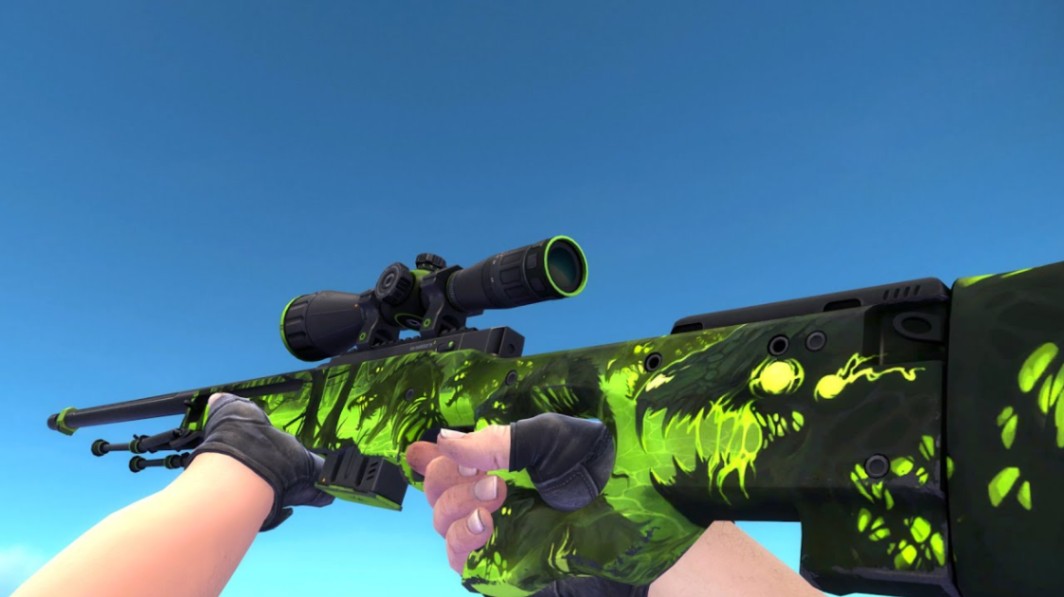
ененгш.jpg)
Specialist Gloves | Emerald Web and Gamma Doppler knives are excellent options for completing the theme.
Black and White Team Loadout
Monochrome inventories rarely look out of place. They also give you plenty of flexibility when choosing stickers and accessories.
The Printstream skin family is particularly suitable for coordinated black-and-white loadouts. Combine it with an AK-47 | Black Laminate, USP-S | Whiteout, and a Damascus Steel knife.
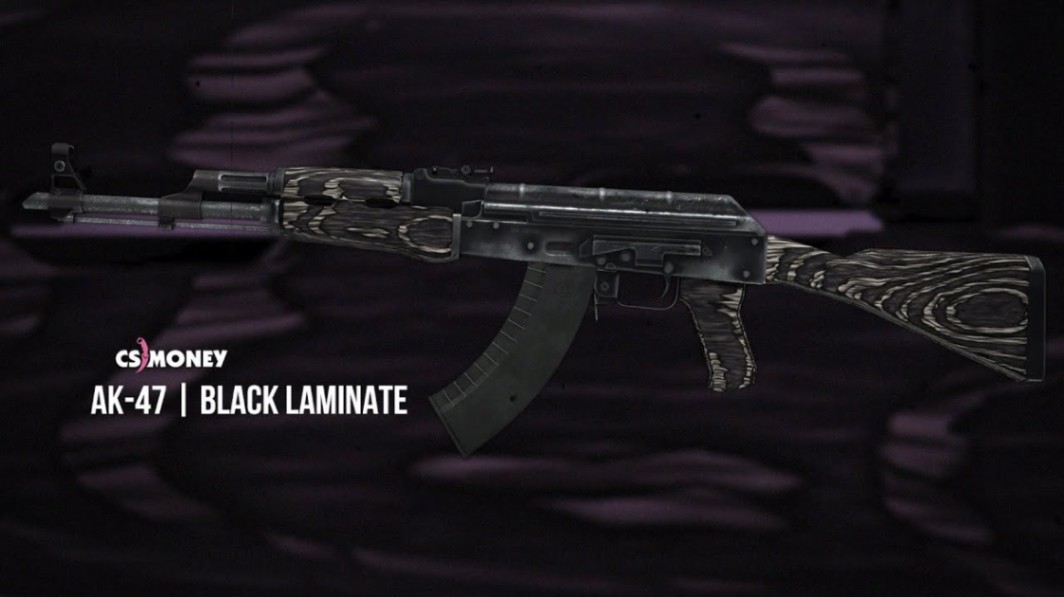
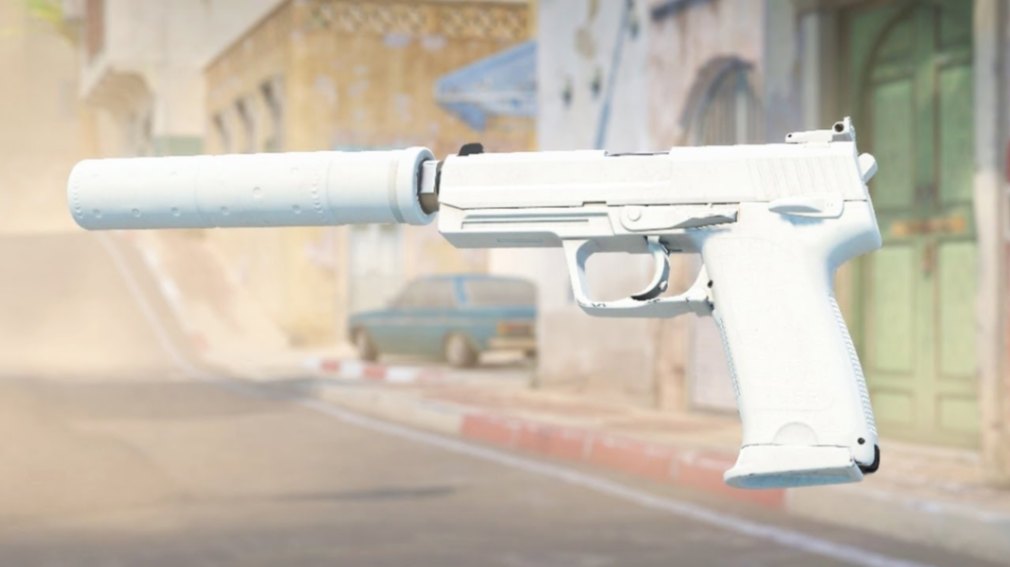
[Placeholder: Best Black and White CS2 Skins → URL]
Best Knife and Glove Combinations for Team Colors
Knives and gloves are among the most noticeable cosmetic combinations in CS2. Matching their colors can tie your entire inventory together.
|
Knife skin |
Gloves |
Color theme |
|---|---|---|
|
Karambit – Crimson Web |
Sport Gloves – Slingshot |
Red |
|
Bayonet – Doppler Phase 4 |
Sport Gloves – Amphibious |
Blue |
|
M9 Bayonet – Gamma Doppler Emerald |
Specialist Gloves – Emerald Web |
Green |
|
Butterfly Knife – Fade |
Sport Gloves – Vice |
Pink and purple |
|
Karambit – Tiger Tooth |
Driver Gloves – Overtake |
Yellow and gold |
|
Bayonet – Damascus Steel |
Driver Gloves – Black Tie |
Black and white |
Remember that Doppler phases can look significantly different from one another. Inspect the exact knife before purchasing rather than relying on its finish name alone.
[Placeholder: Best CS2 Knife and Glove Combinations → URL]
How to Match CS2 Skins with Esports Team Colors
Professional esports organizations provide plenty of inspiration for themed inventories. You don't need to copy a professional player's entire loadout to represent your favorite team.
|
Esports organization |
Color inspiration |
Suggested skin |
|---|---|---|
|
NAVI |
Yellow and black |
AK-47 – Fuel Injector |
|
FaZe Clan |
Red and black |
AK-47 – Redline |
|
Team Vitality |
Yellow and black |
M4A4 – Buzz Kill |
|
Team Spirit |
Green, black, and white |
AWP – Containment Breach |
|
G2 Esports |
Black, white, and red |
M4A1-S – Printstream |
|
Team Liquid |
Blue and white |
M4A1-S – Blue Phosphor |
|
FURIA |
Black and white |
AK-47 – Black Laminate |
These combinations are inspired by recognizable team branding rather than official team-exclusive weapon finishes.
Use Team Stickers to Complete Your Inventory
Stickers are one of the easiest ways to personalize a weapon without replacing the skin itself.
Major team stickers allow you to represent your favorite organization while maintaining a consistent color scheme. Paper, holo, glitter, foil, and gold variants offer different visual effects, depending on the capsule and tournament.
A four-sticker craft featuring the same team logo can look particularly clean on an AK-47 | Redline or AK-47 | Blue Laminate.
CS2's flexible sticker placement system also gives players more freedom to experiment with positioning and rotation.
Pro tip: Preview your sticker craft before applying anything. Rare stickers, including Katowice 2014 stickers, can lose significant standalone market value once applied to a weapon.
[Placeholder: Best CS2 Sticker Crafts → URL]
How Float and Pattern Affect Color Matching
Two skins with identical names don't necessarily look identical in-game. Float values and pattern seeds can significantly influence their appearance.
|
Wear tier |
Float range |
General appearance |
|---|---|---|
|
Factory New (FN) |
0.00–0.07 |
Minimal wear |
|
Minimal Wear (MW) |
0.07–0.15 |
Light wear |
|
Field-Tested (FT) |
0.15–0.38 |
Noticeable wear |
|
Well-Worn (WW) |
0.38–0.45 |
Heavy wear |
|
Battle-Scarred (BS) |
0.45–1.00 |
Extensive wear |
Not every skin is available across all five wear tiers. Some finishes develop scratches as float increases, while others primarily become darker or less vibrant.
Pattern-dependent finishes such as Case Hardened, Fade, and Doppler also require extra attention. Always inspect the specific item to see how its colors fit your inventory.
How to Build a Coordinated CS2 Loadout on a Budget
You don't need five matching Karambits to make your squad look organized. Start with the weapons your teammates use most frequently.
-
Choose a primary color. Agree on a shared palette before buying anything.
-
Prioritize rifles and pistols. Focus on AK-47, M4A1-S, M4A4, USP-S, and Glock-18 skins.
-
Compare wear tiers. Some Field-Tested skins look surprisingly close to Minimal Wear versions.
-
Add matching stickers. Team stickers can connect otherwise different weapon finishes.
-
Upgrade knives and gloves gradually. Treat premium cosmetics as optional finishing touches.
-
Inspect everything in-game. Source 2 lighting can change how metallic and reflective finishes appear.
Players can also mix StatTrak and non-StatTrak skins without disrupting the overall color scheme.
[Placeholder: Best Budget-Friendly CS2 Skins → URL]
Pros and Cons of Color-Coordinated CS2 Inventories
|
Pros |
Cons |
|---|---|
|
Creates a recognizable team identity |
Restricts skin selection |
|
Improves visual consistency in content |
Premium combinations can be expensive |
|
Allows creative sticker crafts |
Pattern variations complicate matching |
|
Works across different budgets |
Some weapons lack suitable finishes |
|
Makes themed collections more enjoyable |
Provides no mechanical gameplay advantage |
Final Thoughts
Matching CS2 skins with team colors is about creativity, personal taste, and shared identity. Whether your squad prefers red-and-black rifles, futuristic blue finishes, or minimalist monochrome combinations, there are plenty of ways to build a recognizable inventory.
Start with your favorite weapons, experiment with sticker crafts, and gradually add matching knives and gloves. A well-coordinated loadout doesn't have to be expensive—it just needs a consistent visual direction.
Key Takeaways
-
Choose one dominant color and one or two complementary shades.
-
Match frequently used rifles and pistols before upgrading knives and gloves.
-
Use esports team stickers to personalize your inventory.
-
Check float values, pattern seeds, and Doppler phases before purchasing.
-
Coordinated skins enhance visual identity but provide no competitive gameplay advantage.
-
Budget-friendly finishes can look just as cohesive as premium collections.
FAQ
What are the best CS2 skins for matching team colors?
Popular options include AK-47 | Redline for red inventories, M4A1-S | Blue Phosphor for blue themes, AK-47 | Fuel Injector for yellow loadouts, and M4A1-S | Printstream for monochrome combinations.
Can matching CS2 skins improve team performance?
No. Skins are cosmetic and do not affect accuracy, recoil, movement speed, or damage. However, coordinated inventories can help teammates express a shared identity.
How can I create a matching CS2 loadout cheaply?
Choose affordable rifle and pistol skins in similar colors, compare Field-Tested and Minimal Wear versions, and use matching stickers. Expensive knives and gloves are optional.
What are the best stickers for esports-themed CS2 inventories?
Major team stickers featuring organizations such as NAVI, FaZe Clan, Team Vitality, G2 Esports, and Team Spirit are popular choices. Select sticker variants that complement your weapon's color palette.
Do float values affect skin color in CS2?
Yes. Depending on the finish, higher float values can introduce scratches, darken colors, or reduce visual clarity. Inspect individual skins before purchasing.
Should every teammate use the same weapon skins?
No. Players can choose different finishes while maintaining a shared color palette. This allows everyone to express their individual style without sacrificing the team's visual identity.