
Mobile-Exclusive CS2 Cases: How App Rewards Really Work
Mobile-exclusive CS2 cases sound simple: open a site or app on your phone, complete a task, and collect a bonus. In practice, mobile-exclusive CS2 cases vary heavily between platforms. Some offers are genuine promotions, while others come with wagering requirements, withdrawal restrictions, or security risks you need to understand before connecting your Steam account.
Featured Snippet: What Are Mobile-Exclusive CS2 Cases?
Mobile-exclusive CS2 cases are promotional cases or rewards available only when using a smartphone, mobile website, or official app. Rewards may include free cases, site balance, promotional credits, deposit bonuses, or event rewards.
Before claiming anything, check the promotion terms, withdrawal requirements, Steam authentication method, and whether the platform has a verifiable reputation.
Why CS2 Sites Offer Mobile-Only Rewards
Case-opening platforms want players to return regularly, and mobile access makes that much easier. Instead of waiting until you're back at your PC, you can check promotions, manage site inventory, or claim a daily reward from your phone.
Common app rewards can include:
Daily login cases
Mobile promo codes
Referral rewards
Limited-time event cases
Deposit promotions
Loyalty points or site credits
Mobile-specific missions
Don't assume that "free" means immediately withdrawable. A free case may produce an item that must meet certain conditions before it can be transferred to Steam.
The same applies to bonus balance. It might only work on selected cases or require additional activity before withdrawal.
Are Mobile Bonuses Better Than Desktop Rewards?
Not necessarily.
A platform may run a temporary mobile promotion to encourage users to install its app or use its mobile interface. That doesn't automatically mean mobile users receive better case odds.
Unless a platform publishes clear rules stating otherwise, treat claims such as "better mobile odds" carefully.
For example, imagine a case containing skins such as an AK-47 | Redline, USP-S | Cortex, or AWP | Neo-Noir. Seeing attractive skins in the case contents doesn't tell you how likely you are to hit them.

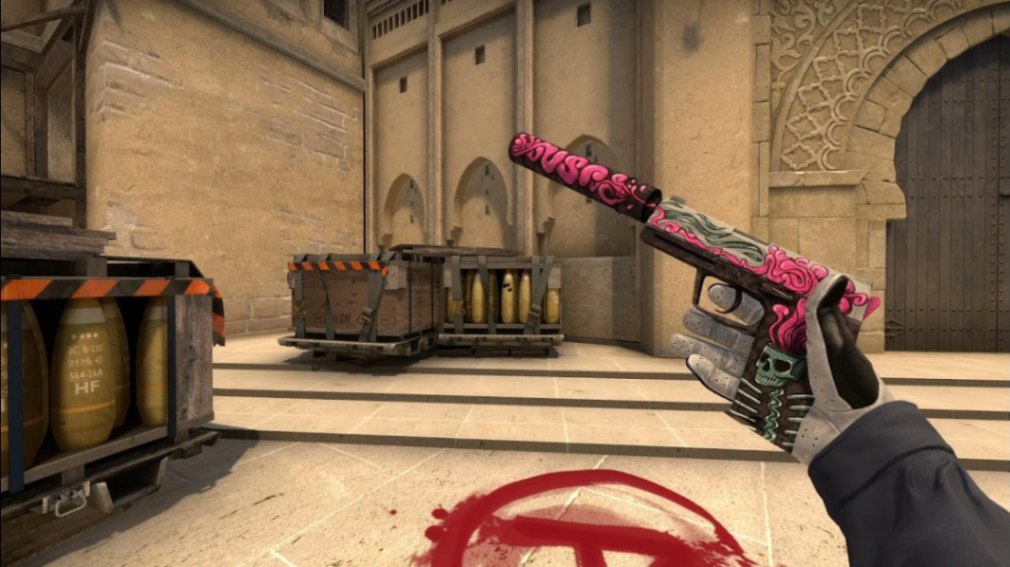
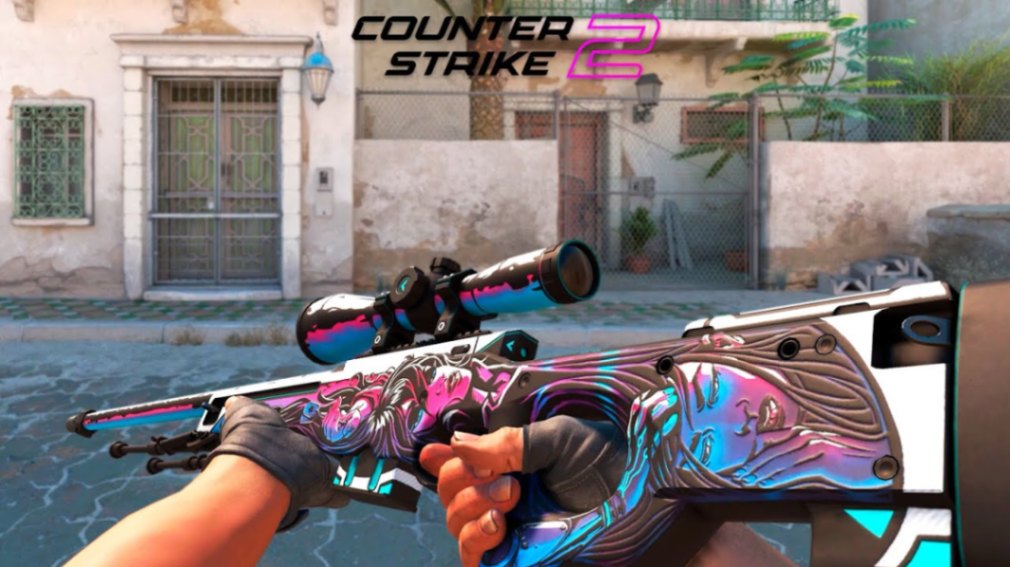
The actual reward structure matters more than the artwork.
| Mobile Feature | Potential Benefit | What to Check |
|---|---|---|
| Daily case | Free recurring attempt | Withdrawal conditions |
| Promo code | Extra balance or case | Expiration and restrictions |
| Referral reward | Bonus for invitations | Qualification requirements |
| Mobile event | Limited rewards | Event dates and rules |
| Deposit bonus | Additional site balance | Wagering requirements |
| App mission | Cases or credits | Data and permissions required |
Pro tip: Judge a promotion by what you can actually withdraw, not by the headline value displayed on the bonus screen.
How to Claim Mobile-Exclusive CS2 Cases Safely
1. Start With the Platform's Official Website
Don't search for random APK mirrors.
If a CS2 platform has an official mobile application, its website should provide a legitimate route to it. For Android apps distributed outside Google Play, be especially careful about what you're installing.
If you're unsure whether an app is genuine, using the platform's mobile website may be the safer option.
2. Check the Promotion Rules First
Look for details covering:
Eligibility
Promotion period
Minimum deposit requirements
Withdrawal limits
Wagering requirements
Geographic restrictions
Steam trade requirements
If important conditions are buried or impossible to find, think twice before depositing skins or money.
3. Sign In Through the Correct Steam Page
A legitimate Steam authentication flow should take you through Steam's official login infrastructure rather than asking you to type your Steam password directly into an unfamiliar form.
Bookmarking the real Steam Community site can also help you recognize suspicious login pages.
[Placeholder: Steam Account Security Guide → URL]
4. Claim the Mobile Reward
Depending on the promotion, you might need to open the app, visit a mobile-only page, enter a promo code, complete a mission, or maintain a login streak.
Read exactly what qualifies as a completed action.
5. Check Withdrawal Conditions Before Opening More Cases
Winning a desirable skin doesn't help much if you can't withdraw it.
Before spending additional balance, verify whether the item can be sent to your Steam inventory and whether there are minimum withdrawal values, turnover conditions, or other restrictions.
Mobile Apps vs Mobile Websites
You don't necessarily need an app to use a CS2 case platform from your phone.
Many services offer responsive mobile websites with most of the same functionality.
Mobile App
Pros:
Convenient access
Push notifications
Potential app-specific promotions
Faster access to recurring rewards
Cons:
Requires installation
May request unnecessary permissions
Fake APKs can imitate legitimate services
Updates may come from outside trusted stores
Mobile Website
Pros:
No installation required
Easier to verify the domain
Fewer device permissions
Works across Android and iOS
Cons:
Some promotions may be app-exclusive
Browser interfaces can be less convenient
Notifications may be limited
For most players, the bonus itself shouldn't determine the choice. Account security matters more than an extra case.
What Makes an App Reward Worth Claiming?
Focus on usable value rather than flashy reward screens.
A reasonable mobile promotion should explain what you receive, what you need to do, and whether the resulting item or balance can be withdrawn.
Be cautious when a promotion requires a substantial deposit simply to unlock a supposedly "free" reward.
Also remember that case openings remain chance-based. Getting one free case doesn't make repeatedly opening paid cases profitable.
[Placeholder: CS2 Case Opening Odds Explained → URL]
Understanding Skins You Receive From Mobile Cases
If your reward is a CS2 skin, don't judge it only by the weapon and finish.
Wear and Float
CS2 skins can appear in wear categories ranging from Factory New (FN) to Battle-Scarred (BS). Float affects wear and can influence desirability.
Two copies of the same skin aren't necessarily equivalent.
Pattern and Seed
Certain finishes can have pattern-dependent characteristics. Pattern is especially important for skins where different seeds create noticeably different appearances.
StatTrak
A StatTrak version is a separate variant that tracks kills. Don't assume a normal skin and its StatTrak counterpart have the same market demand.
Doppler Phases
For Doppler knives and gloves with pattern-dependent finishes, specific phases or rare variants can matter significantly.
If you somehow hit a valuable item, inspect it carefully before trading or selling it.
Stickers
Applied stickers can also affect collector interest. A weapon carrying an old Kato 2014 holo deserves considerably more attention than a typical craft.
Don't instantly sell an unusual skin without checking its float, pattern, stickers, and current market listings.
[Placeholder: How to Check CS2 Skin Float and Pattern → URL]
Mobile CS2 Case Safety Checklist
Mobile promotions attract phishing attempts because players are already expecting to click links, install apps, and sign into Steam.
Avoid Unverified APK Files
An APK isn't automatically malicious, but installing software from an unknown source increases your exposure to modified or fake applications.
Check the developer, official domain, permissions, and distribution method.
Watch for Fake Steam Login Pages
Phishing sites can closely imitate Steam.
Never give a third-party case-opening service your Steam password directly. Check the domain before authenticating.
For account-security guidance, consult Steam Support.
Review App Permissions
A case-opening app shouldn't need unrestricted access to unrelated information on your device.
Be suspicious of applications requesting permissions that don't make sense for their functionality.
Android users can review Google's guidance through Google Play Protect, while iPhone users can review Apple's security information through Apple Platform Security.
Double-Check Trade Offers
Always inspect the account sending a Steam trade offer and verify every item before confirming.
Scammers rely on players moving quickly.
How to Maximize App Rewards Without Overspending
Free mobile rewards are best treated as bonuses, not as a reason to deposit more than you planned.
Set a budget before opening paid cases. If an app offers a daily free case, claiming it doesn't mean you need to continue with ten paid openings afterward.
Referral programs can provide additional rewards, but check their rules before inviting friends. Some require deposits or other qualifying actions before credits become available.
Limited-time promotions deserve the same scrutiny. A countdown timer isn't a reason to ignore withdrawal terms.
Note: Prices and liquidity change—check current offers at the time of reading.
Red Flags to Avoid
Skip a mobile CS2 case service if you encounter obvious warning signs such as:
An app asking directly for your Steam password
APK downloads promoted through random mirrors
Unclear withdrawal rules
Guaranteed-profit claims
Pressure to deposit immediately
Fake-looking Steam authentication windows
Unexpected trade confirmations
Excessive mobile permissions
No accessible terms or support information
A free case isn't worth risking your Steam inventory.
Are Mobile-Exclusive CS2 Cases Worth It?
Mobile-exclusive CS2 cases can be worth claiming when they're genuinely free, the platform is trustworthy, and the withdrawal conditions are reasonable.
They're less attractive when "free" rewards require deposits, wagering, questionable software installations, or extensive personal information.
Treat app rewards as occasional extras rather than a strategy for building guaranteed inventory value. CS2 cases are still based on chance, regardless of whether you open them on a PC or phone.
Key Takeaways
Mobile-exclusive CS2 cases can include daily cases, promo codes, missions, referral rewards, and event bonuses.
Mobile access doesn't automatically mean better case odds.
Read withdrawal and wagering conditions before claiming or depositing.
Use official websites and legitimate app distribution channels.
Never enter your Steam password directly into an unfamiliar third-party form.
Check float, wear, pattern, StatTrak status, and stickers before selling an unusual drop.
FAQ
Can you get free CS2 cases from mobile apps?
Some third-party platforms offer promotional cases or credits to mobile users. Availability and conditions vary, so verify the promotion and withdrawal rules before participating.
Are mobile-exclusive CS2 cases official Valve drops?
Usually not. Third-party case-opening platforms operate separately from Valve's official CS2 drop system. A promotional case on an external site shouldn't be confused with an in-game CS2 case.
Do mobile CS2 case sites have better odds?
Not automatically. Only trust specific claims about different odds when the platform clearly publishes and documents them.
Is it safe to download a CS2 case APK?
Installing an APK from an unknown source carries additional security risk. Prefer verified distribution channels or a platform's official mobile website, and avoid APK files shared through random download sites.
Can I withdraw mobile app rewards to Steam?
It depends on the service and promotion. Some rewards may be withdrawable as skins, while others can be restricted to site balance or subject to additional conditions.
What should I check after winning a CS2 skin?
Check its wear tier, float, pattern/seed, StatTrak status, stickers, and current market demand. Pattern-dependent finishes and rare sticker crafts can require extra research before you trade or sell them.