
How to Safely Buy and Sell CS2 Skins: Security Guide 2026
Buying a new AK-47 skin or cashing out a valuable knife should be exciting, not stressful. But if you want to safely buy and sell CS2 skins, account security matters just as much as float, pattern, or price. Phishing pages, fake trade offers, impersonators, and malicious browser extensions can turn one careless click into a lost inventory.
Featured Snippet: How Do You Safely Trade CS2 Skins?
To safely buy and sell CS2 skins, secure your Steam account with Steam Guard Mobile Authenticator, use established marketplaces, verify every domain and trade offer, inspect valuable skins before buying, and never give another person your Steam credentials or authentication codes. For expensive items, double-check the exact skin, float, stickers, pattern, and Steam account receiving the trade before confirming anything.
Secure Your Steam Account First
Before thinking about marketplaces or prices, lock down the account holding your inventory.
Use Steam Guard
Enable Steam Guard Mobile Authenticator and protect the email account connected to Steam. Your email should have its own strong, unique password and two-factor authentication.
Never share Steam Guard codes, recovery information, QR login confirmations, or other authentication details with a buyer, seller, marketplace representative, or supposed Steam employee.
Steam Support does not need your password to investigate an account issue.
Use Unique Passwords
Reusing passwords is an unnecessary risk. If credentials from another service are compromised, attackers may try the same combination against your email, Steam account, and other platforms.
A password manager makes unique credentials much easier to maintain.
Watch Out for Fake Steam Login Pages
Phishing remains one of the biggest threats in skin trading.
Scammers commonly imitate Steam login screens, tournament platforms, voting pages, trading sites, and giveaway pages. A link may look legitimate in Discord or a browser preview while sending you somewhere completely different.
Instead of trusting the appearance of a page, check the actual domain before entering credentials.
Pro tip: A message from a friend isn't automatically safe. Compromised Steam and Discord accounts are frequently used to send malicious links to people who already trust the sender.
How to Safely Buy CS2 Skins
Finding a good listing is only half the job. You also need to confirm that you're buying the item you think you're buying.
1. Choose an Established Marketplace
The Steam Community Market provides an official Steam ecosystem for buying and selling eligible items using Steam Wallet funds.
Third-party marketplaces can provide additional features, including cash-based transactions, but they introduce another party into the process. Research the platform independently before signing in or depositing an item.
Don't trust a marketplace simply because its name appears in a Google ad, Discord message, YouTube comment, or trader's profile.
For marketplace comparisons: [Placeholder: Best CS2 Skin Marketplaces → URL]
2. Inspect the Exact Skin
Two copies of the same finish can have very different collector appeal.
Check:
Wear tier: Factory New, Minimal Wear, Field-Tested, Well-Worn, or Battle-Scarred
Exact float value
Pattern/paint seed when relevant
StatTrak status
Sticker combination and placement
Name Tag or other item details
Special finish characteristics
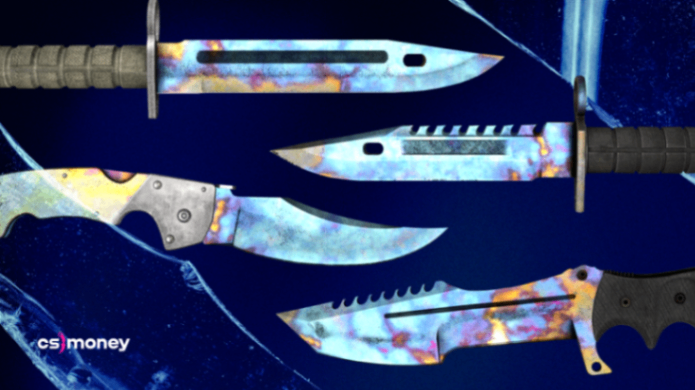
This becomes particularly important with pattern-sensitive finishes such as Case Hardened or Doppler knives, where the specific appearance can matter far more than the basic skin name.
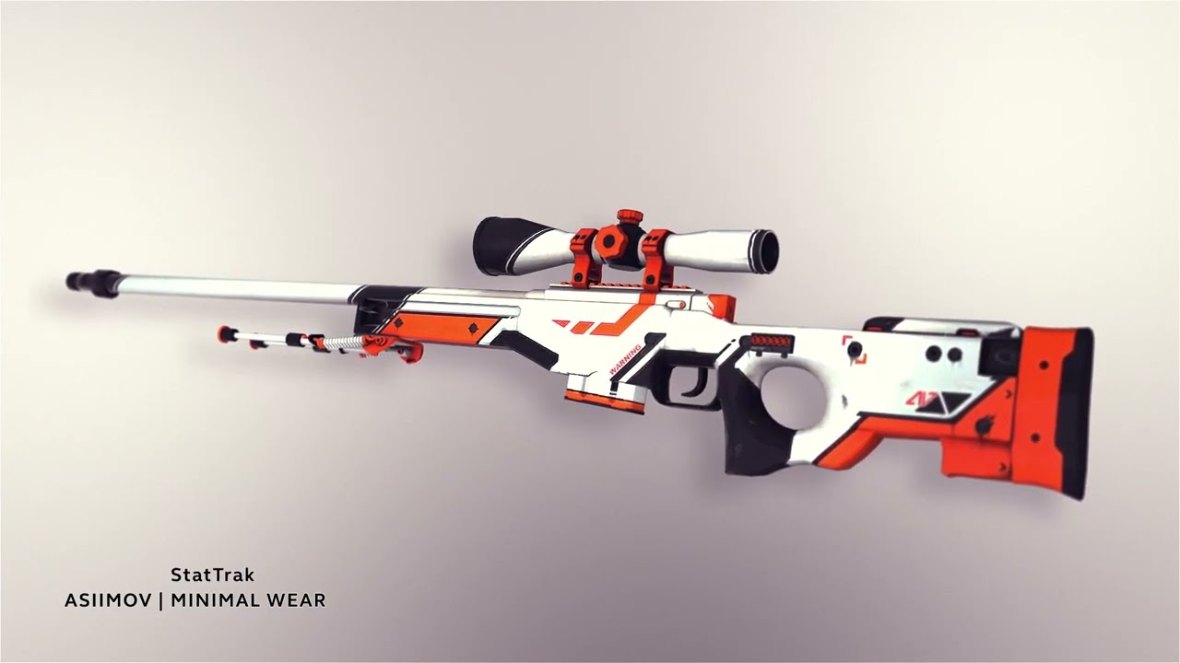
A Factory New AWP | Asiimov-style listing should immediately raise another issue: some finishes simply aren't available across every wear tier. Knowing the skin's actual float range helps you spot misleading descriptions.
3. Don't Value Stickers by Addition
An expensive sticker does not automatically add its standalone market value to a weapon.
This matters especially with older collectibles such as Kato 2014 holo stickers. Placement, weapon finish, sticker condition, combination, and collector demand all affect how much buyers may actually pay.
If you're dealing with a complicated craft, compare similar listings and completed transactions where reliable data is available.
For more detail: [Placeholder: CS2 Sticker Value Guide → URL]
4. Compare More Than One Price Source
One listing isn't the market price.
Check several recent offers, consider actual liquidity, and distinguish between an optimistic asking price and a price at which comparable items are genuinely changing hands.
This is especially important for rare knives, gloves, low-float skins, unusual patterns, and sticker crafts.
Prices and liquidity change—check current offers at the time of reading.
How to Safely Sell CS2 Skins
Selling introduces a different set of risks because scammers know you're expecting trade offers and payment messages.
Verify Every Trade Offer
Don't approve a Steam trade simply because it appeared immediately after creating a listing.
Check the account involved and then verify the contents of the offer line by line. Make sure the correct item is leaving your inventory and that the transaction matches what you initiated on the marketplace.
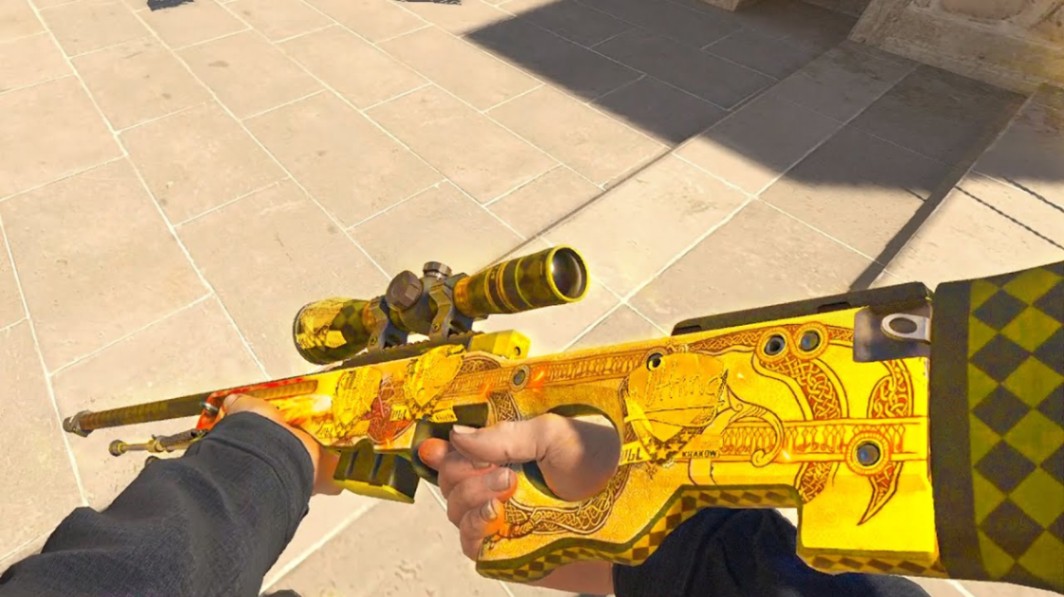
For something valuable—an AWP | Dragon Lore, rare Case Hardened knife, or expensive glove pattern—spending another minute checking the offer is far cheaper than correcting an irreversible mistake.
Never Trust Screenshots as Proof of Payment
Screenshots can be edited.
If you're using a platform that supports cash transactions, verify payment through the platform or payment provider itself. Don't accept a screenshot, Discord message, email image, or supposed support confirmation as evidence that money has arrived.
Be Suspicious of Middlemen
A stranger offering to act as a "trusted middleman" doesn't automatically make a trade safer.
Impersonation scams can involve fake profiles designed to resemble known traders, collectors, marketplace staff, or content creators. Similar avatars, names, inventory screenshots, and profile descriptions prove very little.
When a marketplace provides its own transaction system, use that system rather than moving the deal into an improvised private arrangement.
Common CS2 Skin Scams to Avoid
| Scam | How It Works | What to Do |
|---|---|---|
| Phishing site | Copies a Steam or marketplace login page | Verify the domain before signing in |
| Fake trade offer | Sends an unexpected or manipulated offer | Check account and every item before confirming |
| Impersonation | Copies a trader, creator, friend, or staff profile | Verify identity through independent channels |
| Fake giveaway | Promises free skins or cases for signing in | Don't authenticate through unsolicited links |
| Malicious extension | Claims to improve trading while stealing data | Install only software you have independently verified |
| Fake payment | Uses screenshots or forged confirmations | Check payment directly with the provider |
| Middleman scam | Introduces a supposedly trusted third party | Use established platform transaction systems |
Avoid "Too Good to Be True" Deals
A huge discount isn't automatically an opportunity.
Scammers use urgency because careful traders are harder to scam. Common pressure tactics include claims that another buyer is waiting, a listing expires in minutes, an account is about to be locked, or a special price is available only if you trade immediately.
You don't lose anything by checking. If someone refuses to give you enough time to verify a transaction, walking away is usually the safest move.
Be Careful With Discord, Telegram, and Social Media
Private communities can be useful for discussing skins, but a user's reputation inside a chat does not provide the same protections as a structured marketplace.
Account age, screenshots of previous trades, inventory value, mutual servers, and profile comments can all create a false sense of security.
Treat unsolicited direct messages with particular caution.
Someone contacting you immediately after you post an expensive inventory or rare skin may have found you specifically because of the item's value.
Browser Extensions and Trading Tools Need Verification Too
A browser extension that promises automatic price checks, instant float analysis, or trading improvements may sound useful. It can also request powerful browser permissions.
Install only tools you can verify independently, and periodically review extensions you no longer use.
You don't need an unknown "anti-scam" extension to make a trade safe.
Check Float, Pattern, and Stickers Before Expensive Purchases
Security isn't only about preventing account theft. It also means making sure you're not overpaying because you misunderstood an item's attributes.
Consider three examples:
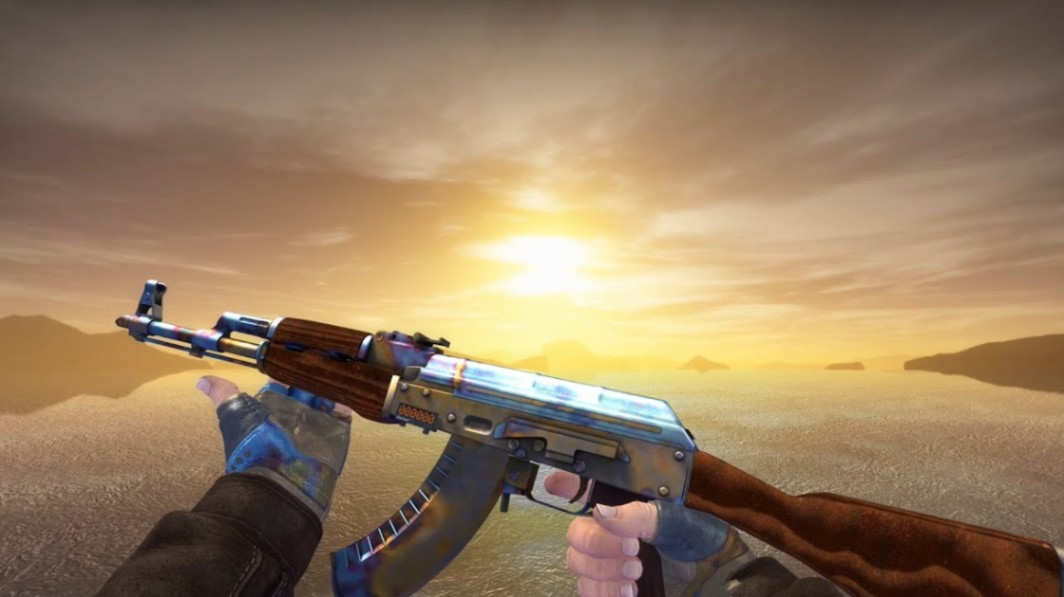
AK-47 | Case Hardened: The pattern seed can dramatically change the visual appearance. Don't evaluate one solely from its wear tier.
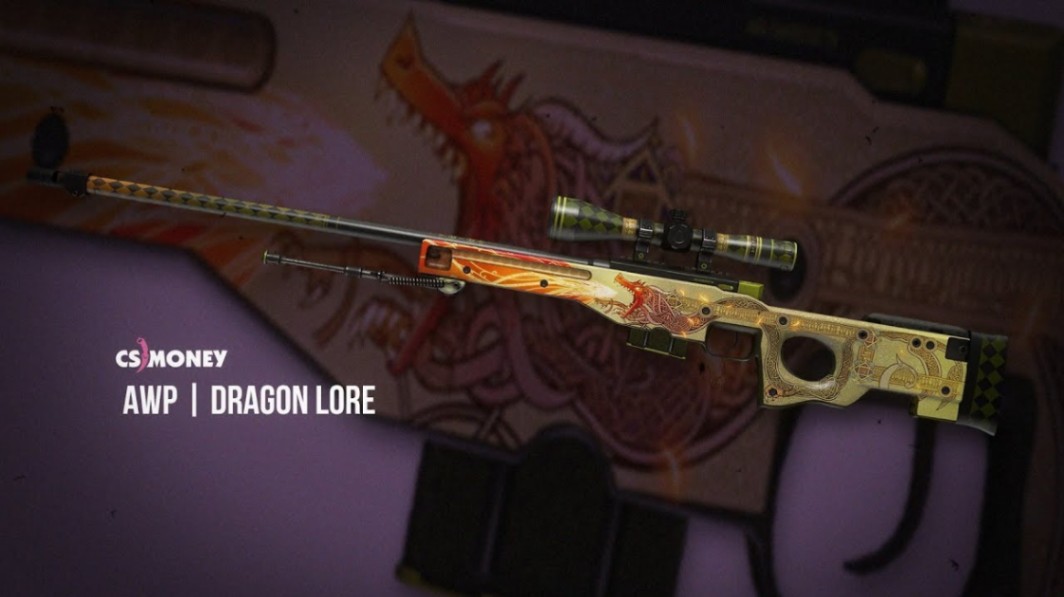
AWP | Dragon Lore: Float and applied stickers can matter considerably to collectors. Verify the exact item rather than relying on a generic skin description.
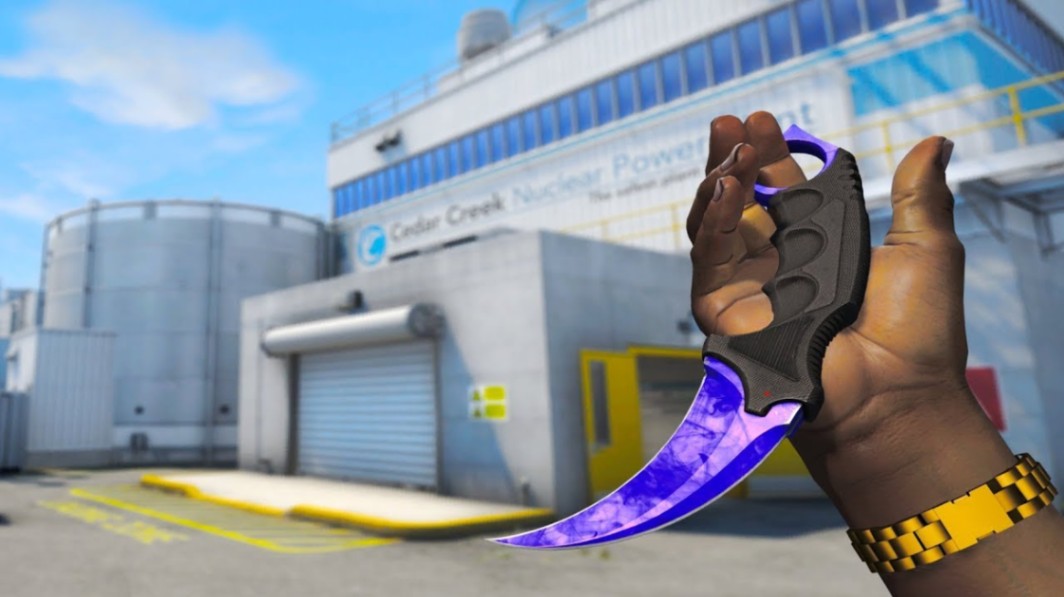
Karambit | Doppler: Confirm the actual Doppler phase or special variant rather than assuming two Factory New Karambits are equivalent.
For additional inspection basics: [Placeholder: CS2 Float and Wear Guide → URL]
What About "Duped" CS2 Skins?
Older CS trading discussions often refer to duplicated, or "duped," items created through historical circumstances involving item restoration.
For modern buyers, the more practical security checks usually involve verifying the item's actual attributes, ownership path where relevant, marketplace listing, and trade offer rather than relying on generic "dupe detection" claims.
Be skeptical of any tool promising perfect authenticity detection without clearly explaining what it checks.
Are Blockchain or NFT Certificates Needed for CS2 Skins?
No blockchain certificate is required to prove ownership of a standard CS2 inventory item.
CS2 items exist within Steam's inventory and trading ecosystem. A third-party NFT or blockchain record does not replace Steam ownership or Steam's item data.
If an external service advertises blockchain-based authentication, treat that as a separate third-party product rather than an official requirement for CS2 trading.
Keep High-Value Trading Simple
Complexity creates more opportunities to make mistakes.
For an expensive transaction, avoid unnecessary middlemen, payment detours, unfamiliar websites, remote-access software, and last-minute changes to the deal.
A straightforward transaction through a platform you already understand is easier to verify.
What to Do If Something Looks Wrong
Stop before confirming anything.
Don't approve a suspicious trade, scan an unexpected QR code, install software, or provide authentication information because someone claims the situation is urgent.
If you believe your Steam account may have been compromised, secure the associated email and Steam account and use official Steam Support resources.
External resource: Steam Support
Key Takeaways
Secure Steam and your linked email before buying or selling valuable items.
Verify domains, login requests, Steam accounts, and trade offers independently.
Check float, wear, pattern/seed, StatTrak status, and stickers before purchasing.
Don't treat screenshots as proof of payment or identity.
Avoid unnecessary middlemen and unfamiliar trading tools.
To safely buy and sell CS2 skins, slow down whenever a transaction becomes unusually complicated or urgent.
FAQ
What is the safest way to buy CS2 skins?
Using established services and carefully verifying the domain, listing, item details, and transaction is safer than arranging an unstructured trade with a stranger. Steam Community Market is Steam's official marketplace, while third-party platforms require additional due diligence.
Can someone steal my CS2 skins through a phishing link?
A link itself isn't necessarily enough, but phishing sites can trick users into exposing credentials or authorizing malicious actions. Never enter Steam authentication information on a site you haven't verified.
Should I check float before buying a CS2 skin?
Yes. Float determines the precise wear value of a skin and can influence its appearance and collector appeal. Also check the finish's possible float range because not every skin exists in all five wear tiers.
Are CS2 skin trades reversible?
You should treat a confirmed trade as final rather than assuming Steam Support or a marketplace will restore an item. Carefully verify every item and account before confirmation.
How can I tell whether a CS2 trader is legitimate?
Don't rely on one signal such as profile comments, screenshots, inventory value, or account age. Verify the person's identity independently and use established marketplace transaction systems whenever possible.
How do I safely buy and sell expensive CS2 skins?
Use a trusted transaction system, research the item's value, verify its exact float, pattern and stickers, and inspect every trade detail before confirmation. For unusually valuable or complicated items, getting additional independent valuation information can also reduce costly mistakes.